
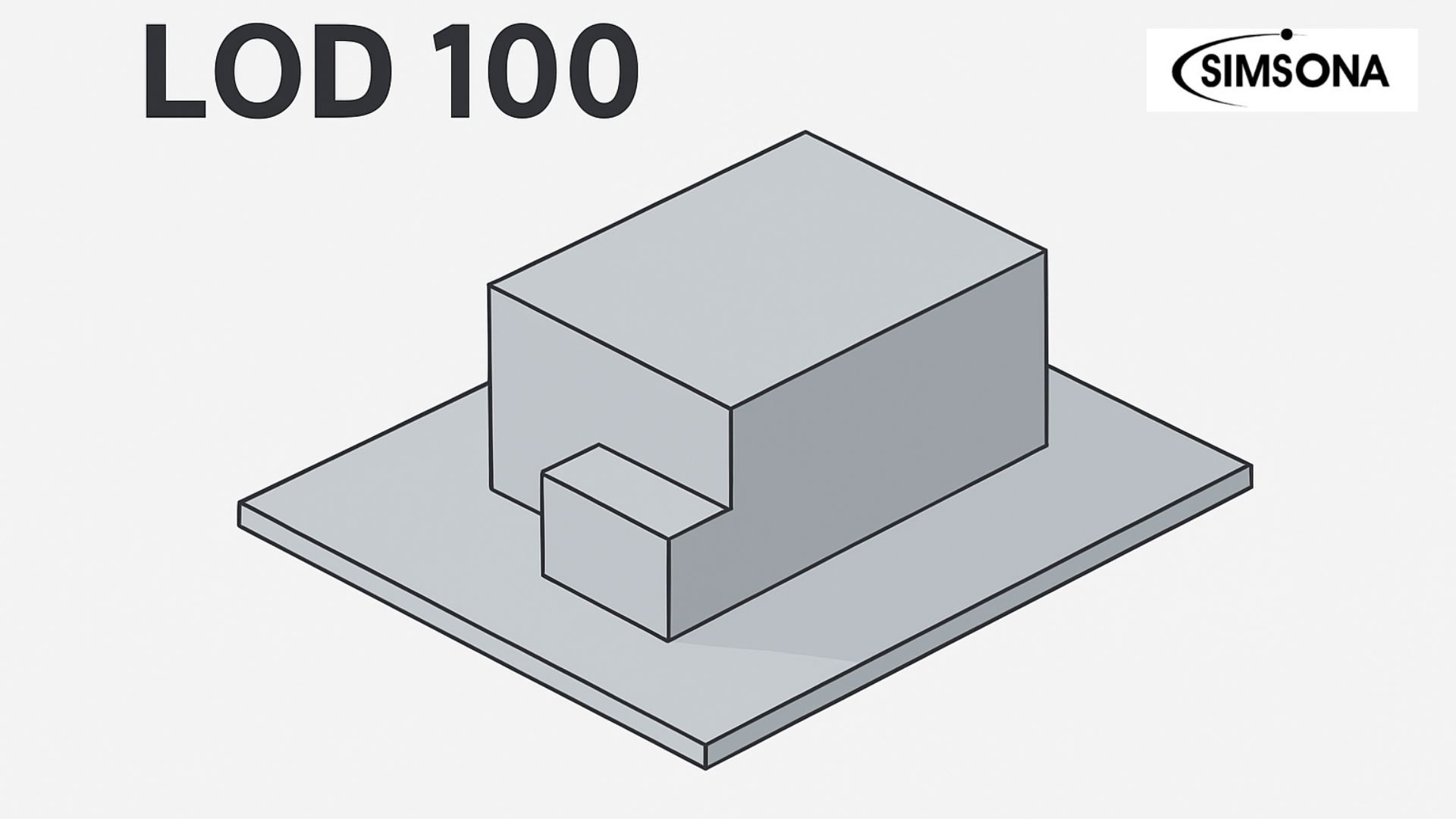
LOD 100 – Conceptual Level of Development in BIM
In Building Information Modeling (BIM), the Level of Development (LOD) framework is used to define the degree of accuracy, reliability, and detail in a digital model. One of the earliest stages in this framework is LOD 100, also known as the conceptual or schematic design level.
At this stage, the BIM model represents the project in its broadest form, providing general massing, orientation, and basic spatial relationships. For architects, engineers, contractors, and stakeholders, understanding LOD 100 in BIM is crucial, as it sets the foundation for all subsequent stages of design and construction.
What is LOD 100?
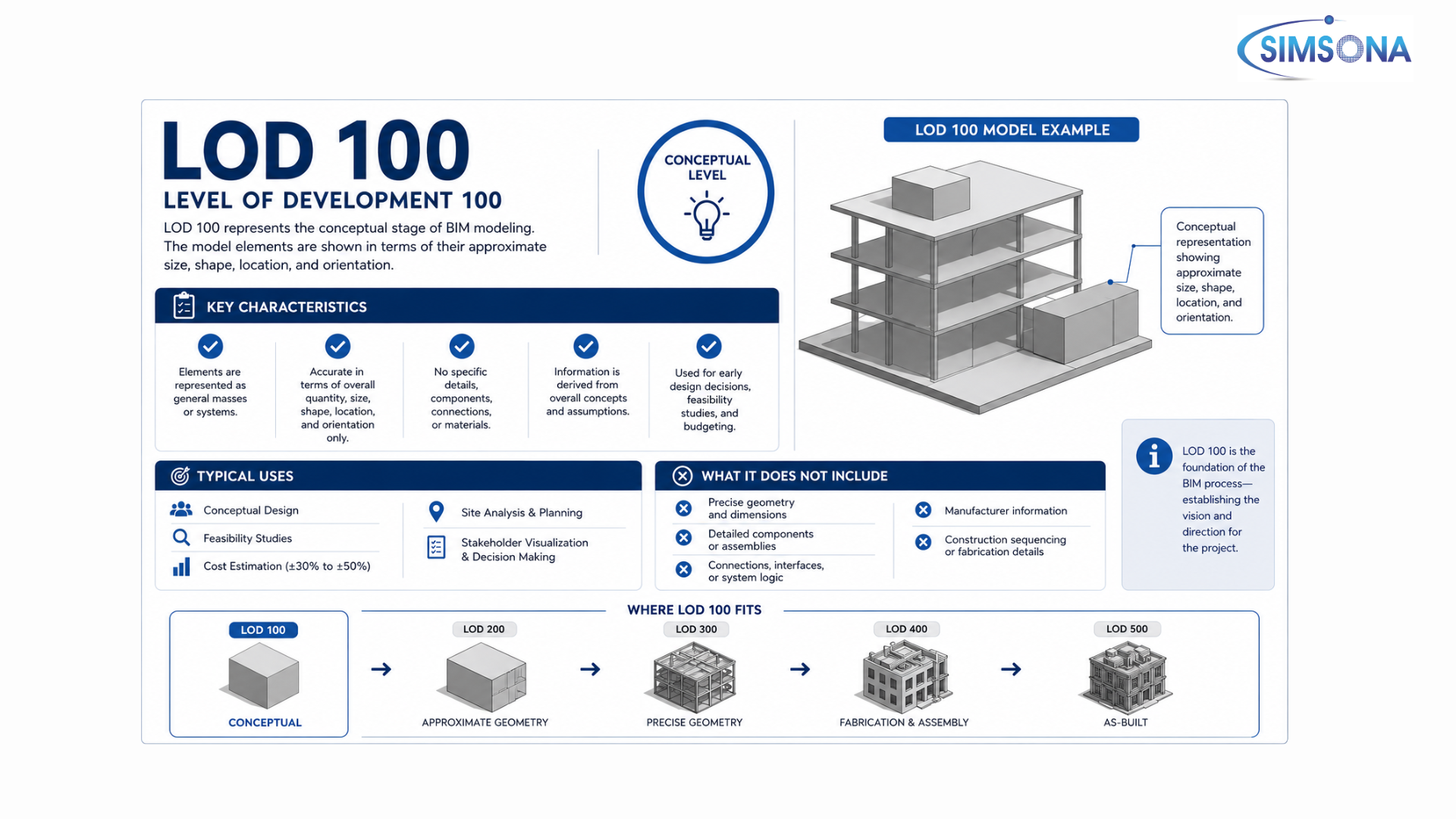
LOD 100 is the most basic stage of model development in the BIM lifecycle. It does not include precise geometry or detailed specifications but instead communicates the project intent through conceptual massing models, approximate sizes, volumes, locations, and orientations. This stage helps in early design visualization, feasibility studies, project budgeting, and site planning.
For example, in the case of a residential building project, LOD 100 may only include the building’s general footprint, the height of the structure, and basic site positioning without specific construction details.
Conceptual Geometry: At LOD 100, the BIM model is represented through simple conceptual geometry. Instead of detailed 3D components, the model uses massing blocks, outlines, or symbolic shapes to convey the design intent. This stage helps architects and engineers visualize the overall scale and massing of the building without committing to specific construction details.
Approximate Dimensions: Elements such as floor areas, building heights, or room sizes are only approximate, providing a rough basis for quantity take-off and early cost estimation.Since dimensions are not precise, this level is unsuitable for fabrication or construction, but it is highly effective for budget forecasting and project feasibility studies.
Basic Orientation: The model highlights footprint, alignment, and orientation with respect to sun path, wind direction, and surrounding infrastructure. This makes it useful for urban planning, zoning compliance, and environmental studies.
Preliminary Information: The information contained in an LOD 100 model is symbolic rather than precise. Elements are placeholders representing intent, not actual building systems or materials. his flexibility allows multiple design iterations, enabling architects and designers to experiment with different forms, layouts, and orientations before finalizing a concept.
Flexibility in Design: Since the model at LOD 100 is schematic, it offers maximum flexibility for design changes. Stakeholders such as architects, structural consultants, and MEP engineers can quickly test different scenarios without significant rework. This promotes collaborative brainstorming and stakeholder engagement, ensuring that the project moves forward with clarity and shared vision.
Advantages of LOD 100
Early Visualization:
One of the biggest advantages of LOD 100 in BIM is the ability to visualize the project at a conceptual level. Even with basic massing models, architects and planners can convey the overall shape, height, and spatial arrangement of a building. This helps clients and stakeholders, especially those without technical backgrounds, to understand the design intent and project vision at an early stage.
Cost-Efficient Decisions:
Since LOD 100 models use simplified geometry and approximate data, they are much faster and more economical to produce than highly detailed models. This allows stakeholders to explore multiple design options, orientation layouts, and footprint variations without incurring high costs. The advantage lies in cost-efficient decision-making, as developers and investors can compare alternatives, adjust project scope, and finalize the best option before committing to detailed BIM levels like LOD 300 or LOD 400.
Saves Time: By addressing project feasibility, budget forecasting, and compliance checks early, LOD 100 helps save time and minimize costly changes in later stages. Since errors and impracticalities are detected in the conceptual phase, the risk of redesign during construction is significantly reduced.
Limitations of LOD 100
Lack of Accuracy in Design Details:
The most significant limitation of LOD 100 in BIM is its lack of precision. At this stage, the model only represents conceptual geometry and approximate quantities, which are not suitable for actual construction or fabrication. Elements such as walls, beams, and HVAC systems are shown as symbolic blocks or outlines, meaning that exact dimensions, thicknesses, and material specifications are absent. This restricts the model’s usability for detailed engineering and execution purposes.
Inability to Support Precise Costing:
Although LOD 100 models allow rough cost estimation, they are not reliable for accurate Bill of Quantities (BOQ) or detailed cost breakdowns. Since quantities and dimensions are only indicative, cost planners can use them only for Rough Order of Magnitude (ROM) estimates, not for final budget preparation. This limitation means that project teams must transition quickly to LOD 200 or LOD 300 for dependable financial forecasting.
Limited Use in Coordination and Clash Detection:
Another drawback of LOD 100 is that it cannot be used for clash detection or coordination among disciplines. Structural, architectural, and MEP systems are not modeled in detail at this stage, so identifying potential conflicts or space constraints is impossible. This reduces its value in the coordination process, which only becomes effective at higher LOD stages.
Transition from LOD 100 to Higher LODs
The BIM model naturally evolves from LOD 100 to LOD 200, 300, 350, 400, and 500, with each level adding greater detail and reliability. While LOD 100 represents the conceptual intent, moving into LOD 200 and beyond brings in accurate dimensions, design specifications, material properties, and construction-ready data.
Conclusion
LOD 100 is the foundation of BIM-based project planning, where ideas are first translated into digital form. It enables early-stage decision-making, cost forecasting, and compliance checks, even though it lacks detailed information. By understanding the scope and purpose of LOD 100, project stakeholders can better align their expectations and ensure smoother transitions into more detailed and execution-ready LOD stages.
FAQS
1. What is LOD 100 in BIM?
LOD 100 is the earliest stage in Building Information Modeling where elements are represented conceptually rather than in detail. At this level, the model includes basic massing, approximate size, shape, and location of building components without precise geometry or detailed information.
2. What type of information is included in LOD 100 models?
LOD 100 models contain generalized data such as building mass, orientation, and overall spatial relationships. Instead of specific components like beams or ducts, elements are shown as conceptual volumes that help in early design decisions and feasibility studies.
3. What is the purpose of LOD 100?
The main purpose of LOD 100 is to support conceptual design and planning. It allows stakeholders to evaluate project scope, perform preliminary cost estimates, and analyze site conditions before moving into detailed design stages.
4. Who typically uses LOD 100 models?
LOD 100 models are primarily used by architects, planners, and project stakeholders during the initial phases of a project. These models help in communicating design intent and making high-level decisions without getting into technical complexities.
5. How does LOD 100 differ from higher LOD levels?
LOD 100 differs from higher levels like LOD 200 and LOD 300 in terms of detail and accuracy. While LOD 100 focuses on conceptual representation, higher LOD levels include more precise geometry, specifications, and construction-ready details.

Send us
drawings and scope
Click the link below and send us your complete scope and drawings. We will provide quote/proposal in 24 to 48 hours.
 301-774-0880
