
Introduction
The construction industry has changed dramatically over the last decade. What was once a field heavily dependent on paper drawings and manual coordination is now increasingly driven by digital technologies that improve efficiency, accuracy, and collaboration. Among these technologies, Building Information Modeling (BIM) has emerged as one of the most influential innovations, helping project teams visualize, manage, and execute construction projects more effectively.
Despite the widespread adoption of BIM, many construction projects still rely on legacy documents stored in PDF format. Architectural plans, structural drawings, MEP layouts, and as-built documents are often available only as PDF files. While these documents contain valuable project information, they are static and lack the intelligence needed for modern construction workflows. This is where PDF to BIM conversion becomes incredibly valuable. By transforming traditional PDF drawings into intelligent BIM models, construction professionals can unlock new opportunities for project coordination, planning, and decision-making.
What is PDF to BIM Conversion?
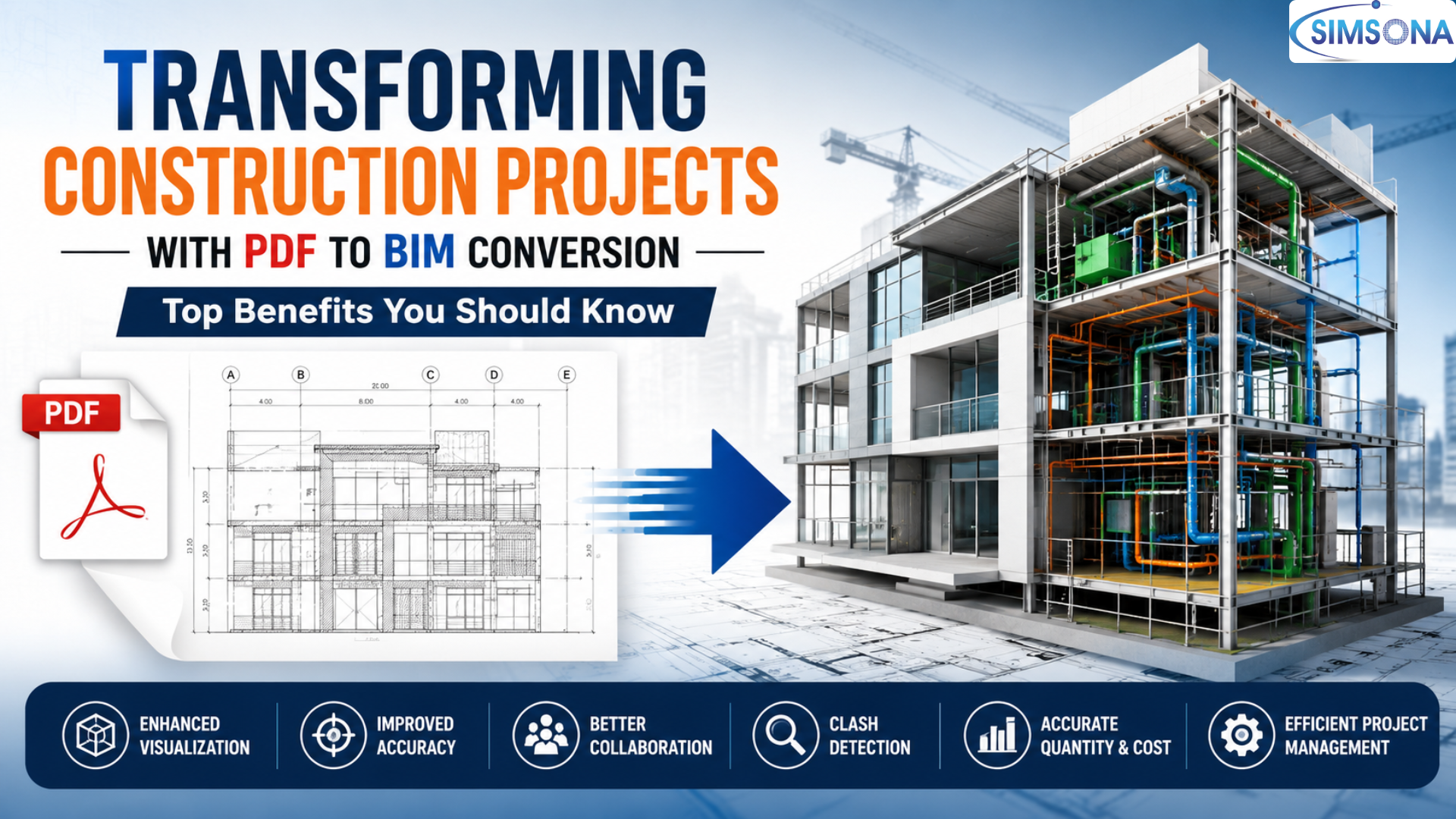
PDF to BIM conversion is the process of transforming PDF-based construction drawings, floor plans, elevations, sections, and technical documents into intelligent BIM models using software platforms such as Autodesk Revit, ArchiCAD, or Bentley Systems.
The conversion process involves extracting information from PDF files and recreating building elements such as:
Walls.
Floors.
Roofs.
Doors and windows.
Structural components.
HVAC systems.
Electrical systems.
Plumbing networks.
Unlike conventional CAD drawings, BIM models contain detailed information about each building component, including dimensions, materials, specifications, quantities, and performance data. This creates a centralized digital representation of the project that can be used throughout design, construction, and facility management phases.
Why PDF to BIM Conversion is Becoming Essential ?
Many existing buildings and ongoing projects still maintain their documentation in PDF format. While PDFs are excellent for sharing and preserving drawings, they present several limitations:
Lack of intelligent data.
Limited collaboration capabilities..
Difficulty in design modifications.
Inability to perform clash detection.
Manual quantity extraction.
Reduced project visibility.
Converting these documents into BIM models enables organizations to leverage modern construction technologies without recreating project information from scratch.
Top Benefits of PDF to BIM Conversion
Enhanced Project Visualization
One of the most significant advantages of PDF to BIM conversion is improved visualization. Traditional PDF drawings require stakeholders to interpret multiple plans, elevations, and sections to understand a building’s design.
A BIM model creates a realistic 3D representation of the structure, allowing architects, engineers, contractors, and clients to visualize the project more clearly.
With enhanced visualization, stakeholders can:
Understand spatial relationships better.
Identify design issues early.
Review project layouts efficiently.
Improve communication among teams.
Present designs effectively to clients.
This visual clarity helps minimize misunderstandings and facilitates faster decision-making throughout the project lifecycle.
Improved Design Accuracy
Manual interpretation of PDF drawings can often lead to errors, omissions, and inconsistencies. PDF to BIM conversion ensures that design information is accurately represented within a coordinated digital model.
The intelligent nature of BIM allows building components to maintain relationships with one another. When changes are made to one element, related views and schedules update automatically.
This improves:
Design consistency.
Data accuracy.
Documentation quality.
Project reliability.
Accurate BIM models serve as a dependable source of information for all project participants.
Better Coordination Between Disciplines
Modern construction projects involve multiple disciplines working simultaneously, including architecture, structural engineering, mechanical systems, electrical systems, and plumbing design.
When project information exists only in PDFs, coordination becomes difficult and time-consuming. PDF to BIM conversion creates a shared model environment where all disciplines can collaborate efficiently.
Benefits include:
Centralized project information.
Improved interdisciplinary communication.
Reduced information silos.
Faster issue resolution.
Greater project transparency.
This collaborative approach helps ensure that every stakeholder works with the most up-to-date information.
Effective Clash Detection
Construction conflicts often arise when different building systems occupy the same physical space. For example, an HVAC duct may intersect with a structural beam or plumbing pipe.
Traditional PDF drawings make it difficult to identify such issues before construction begins.
After PDF to BIM conversion, project teams can perform automated clash detection to identify conflicts between:
Structural elements.
Mechanical systems.
Electrical networks.
Plumbing installations.
Architectural components.
Detecting clashes during the design stage significantly reduces costly rework, delays, and construction-site conflicts.
Faster Quantity Takeoffs and Cost Estimation
Estimating quantities manually from PDF drawings is often labor-intensive and prone to inaccuracies. BIM models automate this process by generating precise quantity takeoffs directly from the model.
Contractors and estimators can quickly obtain information such as:
Concrete volumes.
Steel quantities.
Wall areas.
Flooring measurements.
Material schedules.
This leads to:
More accurate cost estimates.
Faster bidding processes.
Improved budget planning.
Better resource allocation.
Reliable quantity extraction enhances financial control throughout the project.
Streamlined Renovation and Retrofit Projects
Renovation projects frequently involve older buildings with documentation available only in PDF format. Converting these documents into BIM models creates a digital representation of existing conditions.
This allows project teams to:
Analyze building conditions accurately.
Plan renovations efficiently.
Evaluate design alternatives.
Minimize unforeseen issues.
Improve renovation coordination.
For facility upgrades, heritage restorations, and modernization projects, PDF to BIM conversion provides a solid foundation for planning and execution.
Improved Construction Planning
BIM models generated from PDF drawings can be integrated with construction schedules and project timelines.
This enables:
Construction sequencing.
4D scheduling.
Resource planning.
Site logistics analysis.
Progress monitoring.
Project managers gain a comprehensive understanding of how different construction activities interact over time, helping optimize workflows and reduce project delays.
Better Facility Management
The benefits of PDF to BIM conversion extend beyond construction completion. BIM models serve as valuable resources during facility operations and maintenance.
Facility managers can access detailed information about:
Building assets.
Equipment specifications.
Maintenance schedules.
Space management.
Lifecycle costs.
Having a centralized digital model improves operational efficiency and supports long-term asset management strategies.
Reduced Project Risks
Construction projects face numerous risks, including design errors, coordination problems, cost overruns, and schedule delays.
PDF to BIM conversion helps mitigate these risks by providing:
Accurate project data.
Improved design validation.
Enhanced collaboration.
Early issue detection.
Better decision-making support.
By identifying potential problems before construction begins, organizations can reduce uncertainties and improve project outcomes.
Increased Productivity and Efficiency
A BIM environment eliminates many repetitive and manual tasks associated with traditional PDF-based workflows.
Teams can:
Access information quickly.
Update documentation automatically.
Generate reports efficiently.
Coordinate designs effectively.
Reduce administrative workload.
The result is increased productivity across all project phases, from design development to construction management.
Key Considerations During PDF to BIM Conversion
To achieve successful results, organizations should consider:
Quality and clarity of PDF drawings.
Required Level of Development (LOD).
Project objectives.
Modeling standards.
Data accuracy requirements.
Coordination needs across disciplines.
Working with experienced BIM professionals ensures that the converted model accurately reflects the original design intent while meeting project-specific requirements.
Future of PDF to BIM Conversion
As digital construction technologies continue to evolve, PDF to BIM conversion is becoming an increasingly important service. Emerging technologies such as artificial intelligence, machine learning, digital twins, and cloud-based collaboration platforms are further enhancing the capabilities of BIM workflows.
Organizations that invest in BIM conversion today position themselves to take advantage of future innovations while improving project efficiency, accuracy, and sustainability.
Conclusion
PDF to BIM conversion is transforming the way construction projects are planned, designed, executed, and managed. By converting traditional PDF drawings into intelligent BIM models, organizations can unlock valuable project data, improve collaboration, reduce errors, and enhance decision-making.
From clash detection and quantity takeoffs to facility management and renovation planning, the benefits of PDF to BIM conversion extend across the entire building lifecycle. As the construction industry continues its digital transformation, adopting PDF to BIM workflows is no longer just a competitive advantage—it is becoming a necessity for delivering successful, efficient, and cost-effective projects.

Send us
drawings and scope
Click the link below and send us your complete scope and drawings. We will provide quote/proposal in 24 to 48 hours.
 301-774-0880