
Why Autodesk Revit Is Essential for Architectural BIM?
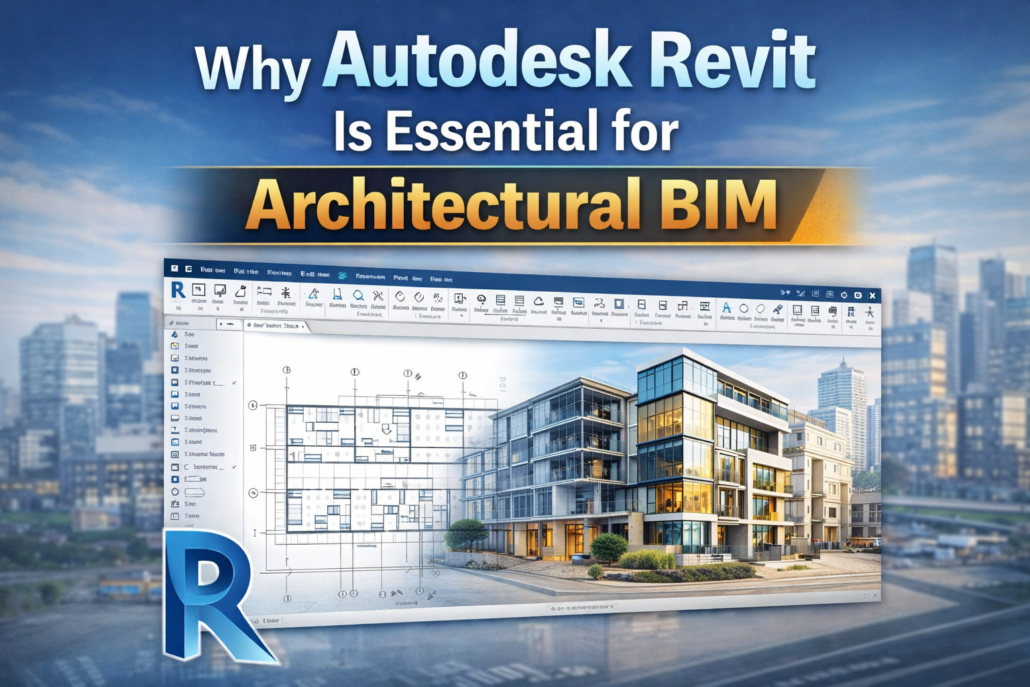
In modern architecture and construction, digital design tools have come a long way. They have transformed how buildings are planned, designed, and constructed. One of the most influential tools in this transformation is Autodesk Revit, which is a powerful software platform that supports Building Information Modeling (BIM).
Revit has become an essential tool for creating intelligent building models, improving collaboration, and delivering accurate project documentation. Unlike traditional drafting tools, Revit allows architectural firms and construction professionals to design data-rich 3D models that integrate geometry, materials, and project information in a single environment.
Revit plays such a crucial role in architectural BIM, which helps in becoming the industry standard in the Architecture, Engineering, and Construction (AEC) industry.
What Is Autodesk Revit?
Autodesk Revit is a BIM software platform that helps architects, engineers, and construction professionals in designing. It allows users to create intelligent 3D building models that contain detailed information about building components such as walls, floors, doors, windows, roofs, and structural systems.
Unlike traditional CAD tools that rely mainly on 2D drawings, Revit uses parametric modeling, where building elements are interconnected. This means that when one element in the model changes, related components automatically update across all views.
For example, if an architect changes the position of a wall in the model, the floor plans, elevations, sections, and schedules automatically reflect the change. This integrated modeling approach significantly reduces manual work and ensures design consistency.
Because of these capabilities, Revit has become a core platform for architectural BIM modeling, design coordination, and construction documentation.
Revit Enables Intelligent 3D Building Modeling
One of the main reasons Revit is essential for architectural BIM is its ability to create intelligent 3D models rather than simple drawings.
In Revit, every building element is part of a data-rich model that contains information about geometry, materials, dimensions, and relationships with other elements. This allows architects to visualize the building in a realistic way while also managing project information.
The 3D BIM model can generate the following:
Floor plans.
Elevations.
Sections.
3D perspectives.
Detailed construction views.
Because all these views come from the same model, they remain synchronized throughout the design process. This improves accuracy and helps teams maintain consistency across all project documentation.
Improved Design Visualization and Client Communication
Another major advantage of Revit in architectural BIM is advanced visualization capabilities. Architects can create detailed 3D models that help clients and stakeholders better understand the design.
Instead of interpreting complex technical drawings, clients can see the following:
Exterior building views.
Interior spaces and layouts.
Lighting and spatial relationships.
Building massing and form.
These visualizations improve communication between architects, clients, and project teams. Early design decisions become easier because stakeholders can clearly visualize how the building will look and function.
Visualization tools in Revit also support rendering, walkthroughs, and design presentations, making it easier for architects to present ideas effectively.
Parametric Modeling for Faster Design Changes
One of the most powerful features of Revit is parametric modeling, which allows architects to modify building elements efficiently.
In traditional drafting workflows, changing a design element often requires updating multiple drawings manually. In Revit, however, all building components are connected through parameters and relationships.
If an architect changes the height of a floor or the size of a window, the changes automatically update across the following:
Floor plans.
Elevations.
Sections.
3D views.
Schedules.
This automation significantly reduces errors and saves time during the design process.
Parametric modeling also allows architects to explore multiple design options quickly, making it easier to optimize building layouts and architectural features.
Enhanced Collaboration and BIM Coordination
Modern construction projects involve multiple disciplines, including architecture, structural engineering, and MEP (mechanical, electrical, and plumbing) systems. Revit supports collaborative BIM workflows, allowing different teams to work on a shared project model.
Using BIM collaboration tools, architects can coordinate their models with structural engineers and MEP designers. This integrated workflow improves communication and helps identify conflicts between building systems.
For example, BIM coordination can detect situations where:
HVAC ducts intersect with structural beams.
Electrical conduits interfere with architectural elements.
Plumbing systems conflict with building structures.
By identifying these clashes early, teams can resolve issues before construction begins, reducing costly delays and design changes.
Accurate Construction Documentation
Another reason Revit is essential for architectural BIM is its ability to generate accurate construction documentation directly from the model.
Architects can create detailed drawings such as the following:
Floor plans.
Elevations.
Sections.
Detail drawings.
Material schedules.
Because these drawings are linked to the BIM model, any design changes automatically update the documentation. This ensures that construction teams always work with the most accurate and up-to-date information.
This capability improves project efficiency and reduces the risk of inconsistencies between different drawing sets.
Quantity Take-offs and Material Information
Revit models contain detailed information about building components, which allows teams to generate quantity takeoffs and material schedules directly from the model.
Architects and project managers can extract data such as the following:
Material quantities.
Door and window schedules.
Floor and wall areas.
Structural components.
This information supports cost estimation, procurement planning, and project budgeting. Because the data comes directly from the BIM model, it is more accurate than traditional manual quantity calculations.
Integration with Other BIM Tools
Revit also integrates seamlessly with other BIM tools used in the construction industry. For example, models created in Revit can be used in coordination software for clash detection and project review.
These integrations support advanced BIM processes such as
Model coordination.
Construction sequencing.
Prefabrication planning.
Facility management data integration.
This interoperability makes Revit a central platform in the BIM ecosystem.
How does Simsona support architectural BIM with Revit?
Successful implementation of Revit-based BIM workflows requires expertise in modeling standards, project coordination, and BIM management. This is where Simsona plays an important role.
Simsona provides specialized BIM modeling and consulting services to support architects, engineering firms, and construction companies. With experience in over 5000 BIM-integrated projects across North America, the company follows industry best practices to deliver high-quality Revit models and detailed project documentation.
Simsona’s BIM consultants and experienced BIM managers help clients implement BIM workflows efficiently. The team produces accurate 3D models, construction drawings, and coordinated project data that support design development and project execution.
Most services are delivered through cloud-based collaboration tools, video meetings, and digital communication platforms, allowing teams to work seamlessly across locations. However, when projects require closer coordination, Simsona can also provide on-site BIM professionals who work directly with the client’s team for specific project durations.
Simsona offers flexible engagement models, including time-and-material contracts, lump-sum agreements, and dedicated full-time BIM resources, allowing architectural firms to scale their BIM capabilities as needed.
By supporting architects, contractors, and trade professionals—including concrete, steel, MEP, and fire protection teams—Simsona helps organizations adopt Revit-based BIM workflows and improve project efficiency.
Conclusion
As the architecture and construction industries continue to evolve, digital modeling technologies are becoming essential for successful project delivery. Autodesk Revit plays a central role in this transformation by enabling intelligent 3D modeling, real-time collaboration, accurate documentation, and data-driven decision-making.
From conceptual design to construction documentation, Revit supports every stage of the architectural BIM workflow, helping architects create better designs while improving project coordination and efficiency.
With experienced BIM consultants and strong expertise in Revit modeling, Simsona helps architectural firms and construction teams leverage BIM technology effectively, ensuring that building projects move smoothly from concept to completion.
FAQ’S
1. Why is Autodesk Revit important for architectural BIM?
Autodesk Revit is essential because it enables architects to create intelligent, data-rich 3D models using Building Information Modeling. It supports design, documentation, and coordination within a single platform, improving efficiency and accuracy.
2. How does Revit improve architectural design workflows?
Revit allows real-time updates across all views, meaning any change in the model automatically reflects in plans, sections, and elevations. This reduces manual errors and ensures consistency throughout the design process.
3. What features make Revit suitable for BIM-based architecture?
Revit offers parametric modeling, family creation, scheduling, and integrated documentation. These features help architects manage complex designs while maintaining accurate data for every building component.
4. Can Revit support collaboration in architectural projects?
Yes, Revit supports collaborative workflows through worksharing and cloud integration. Multiple team members can work on the same model simultaneously, improving coordination among architects, engineers, and contractors.
5. How does Revit help in project documentation and visualization?
Revit automatically generates detailed drawings, schedules, and 3D visualizations directly from the model. This ensures accurate documentation and helps stakeholders better understand the design before construction begins.
 301-774-0880