
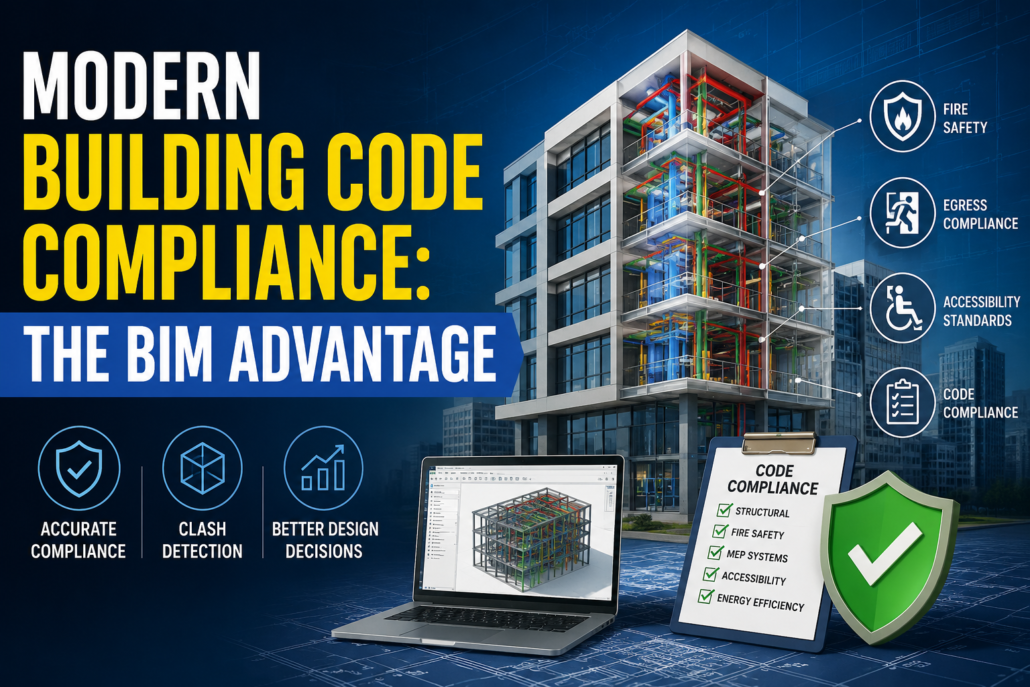
Modern Building Code Compliance: The BIM Advantage
Introduction
Building code compliance has always been one of the most critical aspects of the U.S. construction industry. From structural integrity and fire safety to accessibility and energy efficiency, every project must meet a complex network of federal, state, and local regulations before receiving approval. Traditionally, compliance has been viewed as a documentation exercise—checking boxes, reviewing drawings manually, and correcting issues during permit reviews.
However, modern construction has fundamentally changed this perspective.
Today’s commercial buildings, hospitals, airports, residential towers, manufacturing plants, and mixed-use developments are far more sophisticated than ever before. As project complexity increases, building code compliance is no longer just about completing a checklist—it has become an integrated design process that begins in the earliest stages of planning.
For construction projects across the United States, BIM has become one of the most effective tools for reducing compliance risks, minimizing costly redesigns, accelerating approvals, and improving project quality.
Why Traditional Code Compliance Is No Longer Enough
Historically, code compliance involved reviewing hundreds of pages of construction drawings against local regulations.
Design teams manually checked:
- Fire exits.
- Occupancy limits.
- Corridor widths.
- Stair dimensions.
- Structural requirements.
- Accessibility standards.
- Mechanical ventilation.
- Plumbing layouts.
- Electrical safety.
This process worked reasonably well for smaller buildings.
Today’s projects are dramatically different.
Modern facilities often contain:
- Thousands of rooms.
- Millions of model elements.
- Complex MEP systems.
- Multiple occupancy classifications.
- Sustainable building requirements.
- Smart building technologies.
- Modular construction components.
A manual checklist simply cannot keep pace with this level of complexity.
The Growing Complexity of U.S. Building Codes
Unlike many countries with a single national building code, the United States operates under multiple regulatory frameworks.
Projects may need to comply with:
- International Building Code (IBC).
- International Residential Code (IRC).
- International Fire Code (IFC).
- International Existing Building Code (IEBC).
- International Energy Conservation Code (IECC).
- National Fire Protection Association (NFPA) standards.
- Americans with Disabilities Act (ADA).
- OSHA safety requirements.
- Local municipal amendments.
- State-specific building regulations.
In many jurisdictions, cities adopt different versions of these codes while introducing their own amendments.
For example:
A healthcare project in California may have different compliance requirements than a similar facility in Texas or Florida.
Managing these differences manually introduces significant risk.
Why Compliance Starts During Design
One of the biggest misconceptions is that code compliance occurs after the design is complete.
In reality, compliance begins during conceptual planning.
Design decisions affecting compliance include:
- Building height.
- Occupancy classification.
- Fire separation.
- Means of egress.
- Structural systems.
- Elevator placement.
- Accessibility routes.
- Mechanical ventilation.
- Emergency exits.
- Parking layouts.
Changing these elements after permit submission often leads to:
- Design revisions.
- Permit delays.
- Additional consultant fees.
- Construction schedule impacts.
- Increased project costs.
BIM allows these issues to be identified before they become expensive problems.
How BIM Changes the Compliance Process
Building Information Modeling creates an intelligent digital representation of the building instead of isolated drawings.
Every component contains information such as:
- Dimensions.
- Materials.
- Fire ratings.
- Manufacturer data.
- Structural properties.
- Mechanical specifications.
- Accessibility clearances.
Because every discipline works within a coordinated model, compliance can be reviewed continuously rather than only at project completion.
This proactive approach reduces the likelihood of errors and improves coordination across architectural, structural, and MEP teams.
Automated Rule-Based Code Checking
One of BIM’s greatest advantages is its ability to support automated code validation.
Instead of manually measuring hundreds of spaces, software can evaluate the model against predefined rules.
Examples include:
Corridor Width Verification
BIM can identify corridors that do not meet minimum width requirements based on occupancy.
Door Clearance
Models can verify required maneuvering clearances for ADA compliance.
Ceiling Height Validation
Software can automatically detect spaces below minimum code requirements.
Exit Distance Analysis
Emergency travel distances can be analyzed throughout the building.
Fire Separation
Fire-rated walls, floors, and partitions can be validated against occupancy requirements.
Occupancy Calculations
Room areas and occupant loads can be automatically generated.
Instead of reviewing thousands of dimensions manually, design teams receive immediate notifications about potential violations.
BIM Improves Multidisciplinary Coordination
Building codes rarely affect only one discipline.
For example:
An architect may design an accessible corridor.
A structural engineer may introduce columns that reduce its width.
An HVAC engineer may route ductwork through required clearance zones.
An electrical engineer may position equipment that blocks emergency access.
Without coordination, these conflicts often remain hidden until construction.
BIM enables every discipline to work within a shared digital environment, allowing issues to be resolved before construction begins.
Clash Detection Prevents Compliance Problems
Clash detection is commonly associated with reducing construction conflicts, but it also supports regulatory compliance.
Examples include:
- Fire sprinklers intersecting structural beams
- HVAC ducts blocking fire dampers
- Electrical conduits conflicting with accessible ceiling heights
- Plumbing systems interfering with required clearances
- Structural members obstructing egress routes
By resolving these issues early, projects avoid costly field modifications and improve compliance.
Supporting ADA Accessibility Requirements
Accessibility is one of the most important compliance areas in U.S. construction.
BIM enables teams to verify:
- Wheelchair turning radii.
- Accessible entrances.
- Ramp slopes.
- Elevator dimensions.
- Door clearances.
- Restroom layouts.
- Accessible parking.
- Reach ranges.
- Accessible routes.
Instead of relying solely on manual drafting reviews, designers can validate accessibility throughout the project lifecycle.
Enhancing Fire and Life Safety Planning
Fire safety involves much more than placing fire extinguishers or exit signs.
BIM supports planning for:
- Fire-rated assemblies.
- Smoke compartments.
- Occupant evacuation paths.
- Emergency access routes.
- Stair pressurization systems.
- Fire sprinkler coordination.
- Fire alarm system integration.
- Emergency lighting.
Three-dimensional visualization also helps stakeholders understand evacuation strategies more effectively than traditional 2D drawings.
Energy Code Compliance Through BIM
Modern U.S. projects must increasingly satisfy stringent energy efficiency requirements.
BIM supports compliance by enabling:
- Building envelope analysis.
- Thermal performance studies.
- Daylighting simulations.
- HVAC performance evaluation.
- Energy consumption modeling.
- Solar exposure analysis.
- Building orientation optimization.
These capabilities help teams meet evolving energy codes while supporting sustainability goals.
Better Documentation for Permit Approvals
Permit reviewers often receive thousands of drawing sheets.
BIM-generated documentation offers several advantages:
- Consistent drawing sets.
- Coordinated schedules.
- Accurate quantities.
- Automatic updates.
- Fewer documentation inconsistencies.
- Better visualization.
- Improved review efficiency.
Because drawings are generated from a single coordinated model, revisions are propagated throughout the documentation set, reducing the risk of conflicting information.
Reducing Rework During Construction
Many compliance issues discovered in the field result in:
- Demolition.
- Redesign.
- Material waste.
- Labor delays.
- Inspection failures.
- Change orders.
BIM helps identify potential issues before construction begins, allowing teams to resolve them digitally instead of physically.
This shift reduces costs while improving project schedules.
Digital Twins and Ongoing Compliance
Compliance does not end when construction is complete.
Facility owners must continue meeting operational requirements throughout a building’s lifecycle.
BIM models increasingly serve as the foundation for digital twins, supporting:
- Facility maintenance.
- Fire safety inspections.
- Equipment replacement.
- Space management.
- Renovation planning.
- Asset tracking.
- Emergency response planning.
Maintaining an accurate digital model makes future renovations and code upgrades significantly more manageable.
The Future of Code Compliance
The construction industry is moving toward increasingly digital approval processes.
Emerging technologies include:
- AI-assisted code checking.
- Machine learning for design validation.
- Cloud-based BIM collaboration.
- Automated permit review workflows.
- Digital building twins.
- Reality capture integration.
- Rule-based compliance engines.
As regulatory requirements continue to evolve, BIM will play an even greater role in ensuring projects meet safety, sustainability, and performance standards.
Benefits of BIM for Building Code Compliance
Organizations adopting BIM for compliance can achieve several advantages:
- Earlier identification of code violations.
- Improved collaboration across project teams.
- Reduced design conflicts.
- Faster permit approvals.
- Lower construction rework costs.
- Better documentation accuracy.
- Enhanced accessibility verification.
- Improved fire and life safety planning.
- Greater confidence in regulatory compliance.
- Better lifecycle management after project completion.
Conclusion
Building code compliance in the United States has evolved far beyond completing regulatory checklists. As buildings become more complex and codes continue to expand, traditional manual review methods are increasingly insufficient. Modern compliance requires continuous coordination, accurate information, and early validation throughout the design and construction process.
Building Information Modeling (BIM) enables this shift by integrating code considerations directly into the digital design workflow. Through coordinated models, automated rule-based checking, clash detection, accessibility validation, and multidisciplinary collaboration, BIM helps project teams identify and resolve compliance issues before they affect schedules, budgets, or construction quality.
For architects, engineers, contractors, and owners, BIM is no longer simply a design technology—it is a strategic approach to delivering safer, more efficient, and code-compliant buildings. In an industry where regulatory requirements continue to evolve, adopting BIM-driven compliance processes is becoming essential for successful project delivery across the United States.

 301-774-0880